What it shows
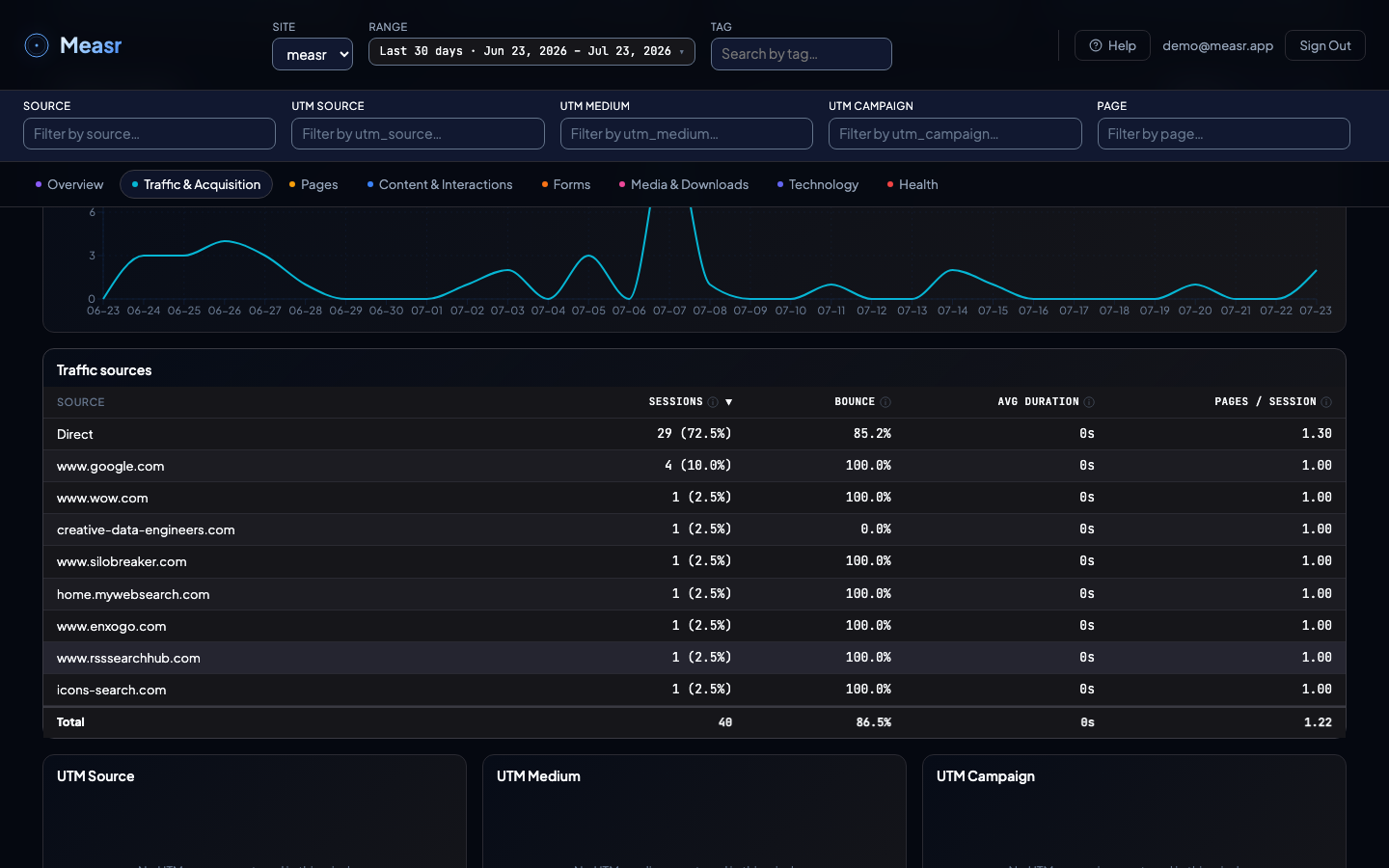
Four KPIs (Sessions, Bounce Rate, Avg Session Duration, Pages per Session), a Sessions over time trend, and five tables: Traffic sources plus the UTM Source, UTM Medium, UTM Campaign, and UTM Content breakdowns.
What the numbers mean
The sources table attributes by referrer: the referring website's hostname is the source, and no referrer counts as Direct (typed URL, bookmark, or app link). Each source row carries three quality columns:
- Bounce: % of that source's sessions with a single page view and no engagement event.
- Avg Duration: average session length for that source, capped at 30 minutes.
- Pages / Session: average number of pages viewed per session from that source.
The four UTM tables count sessions per utm_source, utm_medium, utm_campaign, and utm_content value (the fourth added in v1.4.0), captured from the URL on the first page view of the session. Values appear exactly as they were written in the URL, which is why consistent naming matters.
How the filters apply
The whole section respects the global filters. On top of that, the tables are clickable: select a source or a UTM row and the section's KPIs and trend narrow to that value. Click again to clear. The header's Source and UTM dimension filters do the same thing globally, across every section.
How to implement it
Referrer attribution is automatic: the SDK stores the referrer with the session, no configuration needed. The UTM tables fill up as soon as visitors arrive through tagged links. If you tag links for GA4 already, those same links feed these tables unchanged. The full tagging guide, per-channel examples, naming conventions, and the Trakr URL builder are on the campaign tagging page.
Empty UTM tables are normal when no tagged traffic arrived in the window: the tables read "No UTM source captured in this window." That is a tagging gap, not a tracking failure. Untagged visitors still appear in the sources table by referrer.