What it shows
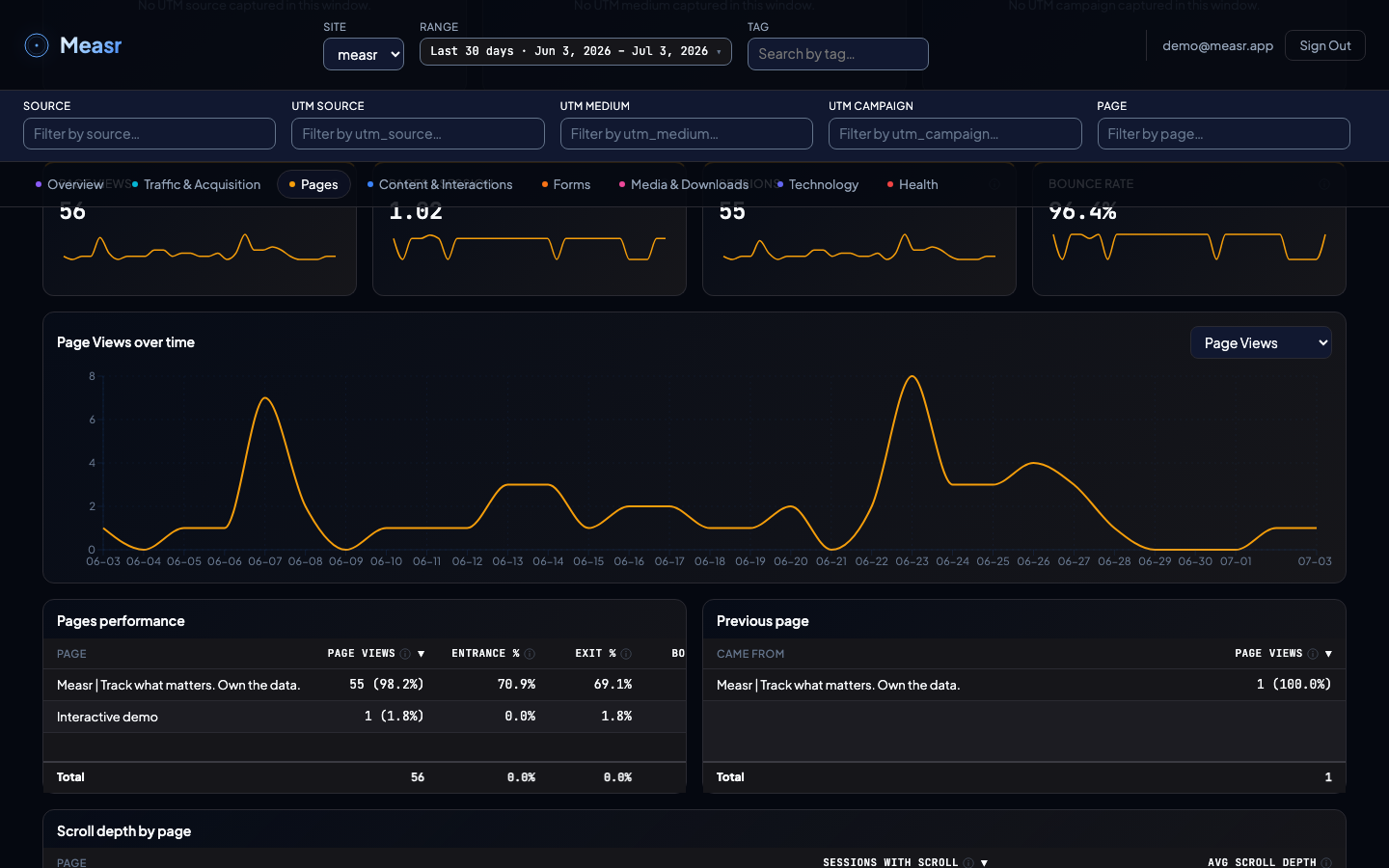
Four KPIs (Page Views, Pages per Session, Sessions, Bounce Rate), a Page views over time trend, the Pages performance table, the Previous page table, and Scroll depth by page.
What the numbers mean
| Column | Definition |
|---|---|
| Page Views | Total views of this page across all sessions. |
| Entrance % | % of sessions that started on this page. |
| Exit % | % of sessions that ended on this page. |
| Bounce | Share of sessions that entered on this page and left without further engagement. Pages that were never an entry page show a dash instead of a value. |
| Avg Time on Page | Average time visitors spend on this page before navigating away, derived from event-gap deltas (capped at 30 minutes). Pages with no engagement event activity show a dash instead of a value. |
| Page Interaction Rate | Interaction events on this page divided by pageviews of this page. Answers "which page is most interactive?". |
The Previous page table shows the transitions into each page, useful for spotting the paths visitors actually take. Scroll depth by page shows the average scroll depth per page, tracked once per pageview.
How the filters apply
The section respects the global filters, and page rows are clickable: click a page to scope the section's trend and tables to just that page; click again to clear. The header also has a global Page filter that narrows every section to one page.
Filters apply here too (v1.4.3): the Previous page table narrows under the global dimension filters like every other table — the page-to-page transitions are computed server-side over only the sessions matching the active filter set.
How to implement it
Everything here comes from the automatic page-view and scroll-depth modules: page views fire on load using document.title (brand suffixes are stripped), and on single-page apps the SDK hooks the History API and fires again on each route change. Scroll depth fires at 25 / 50 / 75 / 90 / 100%, once per page view. See tracking modules for the details and the init options.